
Stop Guessing WhichDebt to Pay First EverySingle Month
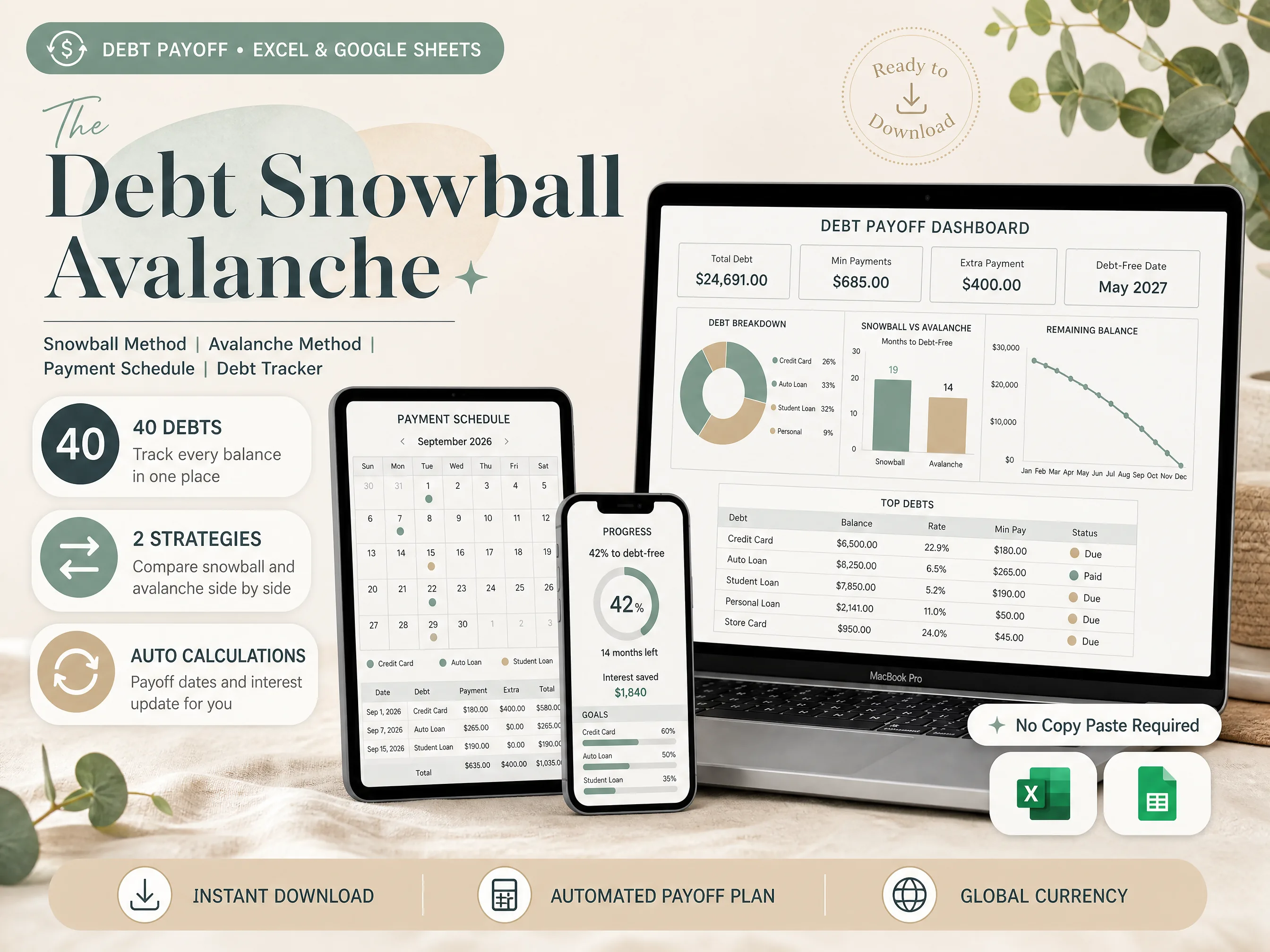
Most people keep balances in bank apps and a half-finished list. Debt Snowball Avalanche puts snowball, avalanche, a payment schedule, and interest KPIs in one download — Excel and Google Sheets, both included.
- Track up to 40 debts in one file
- Snowball and avalanche, side by side
- Auto-sorted payment schedule
- Excel and Google Sheets, both included
Instant download • Works with Excel & Google Sheets • One-time payment
Works wherever you manage your money
40 Debts. 2 Strategies. One Download.
Everything you need to pick a method and stay on it: designed, automated, and ready to use today.
What a Real Debt Payoff Dashboard Looks Like
Auto-sorted methods, a payment schedule, and interest KPIs. Forty debts, two strategies, one connected file.
Track Up to 40 Debts in One Place
Balances, rates, and minimums live in one list. No second workbook, no copy-paste between cards and loans.
Snowball and Avalanche, Side by Side
Two strategies, one file. See months-to-free and interest side by side before you pick a method.
Auto-Sorted Payment Schedule
Due dates and payment amounts fill themselves from the debt list. Change a rate and the schedule updates.
Auto Sorter, No Manual Re-Rank
Snowball ranks by balance. Avalanche ranks by rate. The next target debt is always the one the method says.
Interest and Payoff KPIs
Total debt, extra payment, interest saved, and a debt-free date sit on the dashboard and refresh for you.
Excel and Google Sheets, Both Included
One purchase, two formats. Edit in your browser on Mac or PC, or on the go from your phone or tablet.
40 Debts. 2 Strategies. Everything Listed.
Debt List (up to 40)
Balances, rates, and minimums in one place. Add a card or a loan once and every dashboard reads it.
Snowball and Avalanche
Two methods, compared. See months-to-free and interest before you commit extra money to an order.
Payment Schedule + KPIs
A month of payments generated from the list, plus interest saved and a debt-free date that update for you.
Also Included

Everything in Debt Snowball Avalanche
Every tab works in Excel and Google Sheets. Enter the debts once, and watch the methods and schedule build themselves.

Debt Overview Dashboard
See total debt, minimums, extra payment, and the debt-free date on one screen. The breakdown and remaining-balance chart update when you change a number.

Snowball Method
Smallest balance first. The sorter ranks the list, the schedule follows, and you see how many months the snowball takes versus the other method.

Avalanche Method
Highest interest first. Same extra payment, different order. Compare interest saved against snowball without building a second sheet.

Payment Schedule
A month view of every payment the plan already chose. Dates, debt names, and amounts, generated from the list you already keep.

Interest and Payoff KPIs
Interest remaining, interest saved, and the date the last balance hits zero. The numbers refresh when a rate or extra payment changes.

The Layout People Stay In
A clean debt list, two methods, and a schedule that does not need a second app. Built for the person who will actually open the file next month.
How It Works
Get started in minutes with instant digital access
Purchase
Complete your secure checkout
Download
Excel file + Google Sheets link by email
Enter Your Debts
Balances, rates, and minimums
Pick a Method
Snowball or avalanche — the schedule follows
40 Debts, 2 Strategies. $9, One-Time.
Everything on this page is included in a single download. No subscriptions.
- Debt list for up to 40 debts
- Snowball and avalanche, side by side
- Auto-sorted payment schedule
- Interest and debt-free date KPIs
- Excel and Google Sheets, both included
Instant digital download • Works with Excel & Google Sheets • One-time payment
This is a digital product with immediate access after purchase. No refunds on digital downloads.
Excel and Google Sheets, on Any Device
Compatible with PC, Mac, smartphones and tablets. Edit in your browser or on the go — setup is recommended on a desktop or laptop.

Frequently Asked Questions
Everything you need to know before you buy